Managing Ads From Your Phone Is Convenient. Not Having to Manage Them Is Better.
ScalixAI handles your Google Ads end-to-end, from strategy to tracking, optimization, and pipeline reporting.
Share this Article


Key takeaways
OpenClaw WhatsApp routes ad account queries through Twilio's WhatsApp sandbox via webhooks.
ngrok dependency means your webhook URL breaks every time the server restarts.
WhatsApp gives faster access to data. But it doesn't improve the data itself.
Sandbox to production WhatsApp requires Meta Business verification, adding several days.
Query speed is not the bottleneck in B2B Google Ads; strategy and attribution are.
OpenClaw WhatsApp integration is the next step after you've got the core MCP server running. It’s a genuinely useful capability for founders who want to query campaign performance or pull reports without opening a laptop.
This guide covers the complete setup, what it actually lets you do, where it breaks down, and when handing the account to a specialist makes more sense than managing it from your phone.
TL;DR
OpenClaw's WhatsApp integration lets you send natural language commands to your Google Ads or Meta Ads account via WhatsApp using a Twilio-connected MCP bridge. Setup requires an active OpenClaw MCP server, a Twilio account with WhatsApp sandbox access, a webhook endpoint, and environment configuration. It works for queries and light optimization. It doesn't replace campaign strategy, attribution setup, or the judgment calls that move the pipeline.
What Is OpenClaw WhatsApp and What Can It Actually Do?
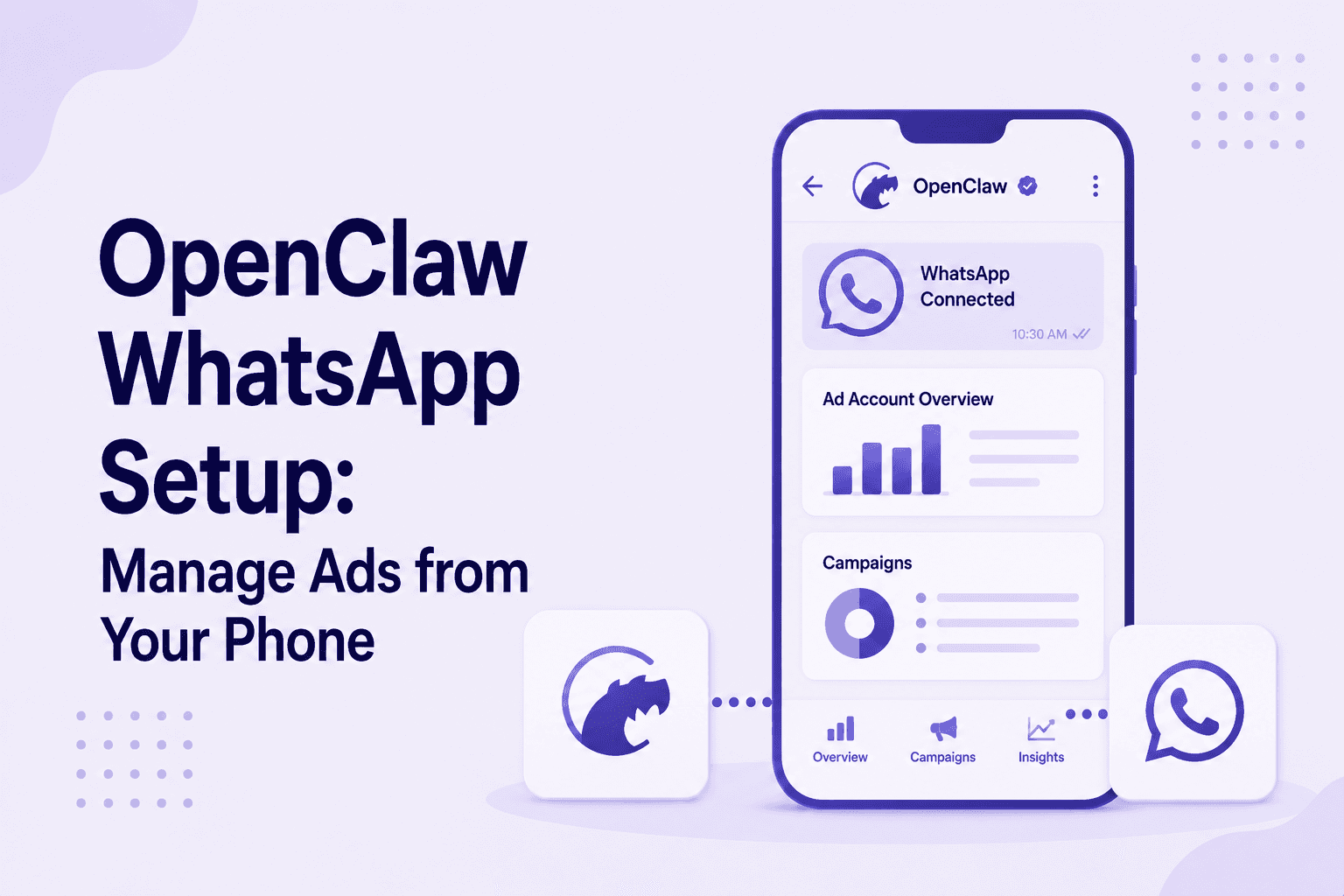
The WhatsApp integration extends OpenClaw's MCP server to accept commands via WhatsApp messages. Instead of typing into Claude Desktop on your computer, you send a message from your phone.
It could be something like "show me yesterday's campaign performance" or "which keywords spent over $50 with zero conversions." The system queries your ad account and returns the data in the chat.
The practical use case is real. B2B founders and growth marketers aren't always at a desk. Being able to check account performance during a commute, flag a budget issue from your phone, or pull a quick spend summary before a board meeting, without logging into the Google Ads interface, is a legitimate convenience.
The limitation is equally real. WhatsApp is a reporting and query interface. It is not a strategy layer. The commands you send are only as useful as the campaign structure, conversion tracking, and attribution setup underneath them. If those foundations aren't right, getting faster access to the wrong data doesn't help.
Check out Openclaw Skills for Paid Media Specialists ->
What You Need Before You Start
[table]
Requirement | Details
Active OpenClaw MCP server | Fully configured and running locally
Twilio account | Free trial available. WhatsApp sandbox included
Twilio WhatsApp Sandbox access | Enabled in the Twilio console
Webhook endpoint | Public URL to receive WhatsApp messages from Twilio
ngrok or equivalent | Exposes the local server to a public URL for the webhook
Node.js (v18+) | Required for OpenClaw server
Verified WhatsApp number | Connected to Twilio sandbox
[/table]
If you haven't completed the core OpenClaw setup yet, which includes a developer token, OAuth credentials, and MCP server configuration, that comes first. This integration sits on top of a working OpenClaw installation, not alongside it.
OpenClaw WhatsApp Setup: Step by Step
Step 1 — Set Up a Twilio Account and Enable WhatsApp Sandbox
- Go to twilio.com and create a free account.
- Inside the Twilio console, navigate to Messaging → Try it Out → Send a WhatsApp message.
- Follow the sandbox activation instructions: Send a code phrase from your WhatsApp number to Twilio's sandbox number to verify the connection.
The sandbox is for testing. Production WhatsApp deployment requires a Meta Business account verification, which adds several days to the process.
Step 2 — Expose Your Local Server With ngrok
OpenClaw runs locally. Twilio needs a publicly accessible URL to send incoming WhatsApp messages to your server. ngrok creates a secure tunnel from a public URL to your local port.
- Install ngrok
- Authenticate with your API key and run:

This generates a public forwarding URL — something like https://abc123.ngrok.io.
- Copy this. You'll use it as your Twilio webhook endpoint.
The critical operational note: every time ngrok restarts, it generates a new URL. You'll need to update your Twilio webhook configuration each time unless you're on a paid ngrok plan with a fixed domain.
Step 3 — Configure Twilio Webhook
- Inside the Twilio console, go to your WhatsApp sandbox settings and set the webhook URL for incoming messages to:

This tells Twilio to forward every incoming WhatsApp message from your verified number to your local OpenClaw server.
Step 4 — Update OpenClaw Environment Variables
- Add your Twilio credentials to your OpenClaw .env file:
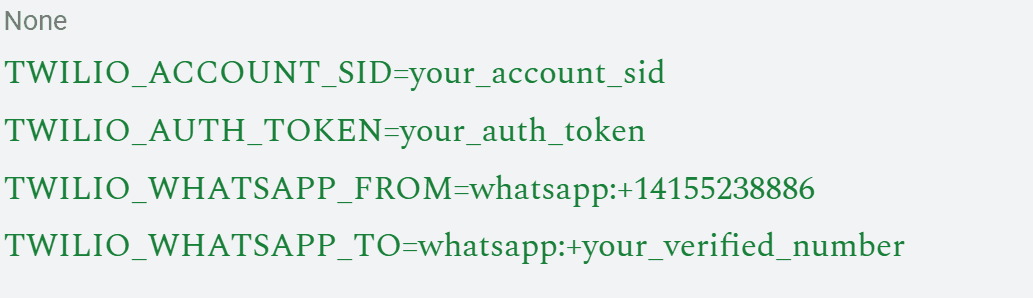
The FROM number is Twilio's sandbox WhatsApp number. The TO number is your personal WhatsApp number that you verified in the sandbox.
Step 5 — Start the WhatsApp Webhook Handler
- With credentials configured and ngrok running, start the webhook server:

- The server starts and listens for incoming webhook events from Twilio.
- Send a test message from your WhatsApp, like "list my campaigns," to verify the response comes through.
What You Can Do Via WhatsApp
Once the integration is working, these are the most useful command types:
- Performance queries: Show me yesterday's spend and conversions by campaign.
- Budget checks: Which campaigns are close to their daily cap?
- Search term review: List the top 10 search terms by spend this week.
- Keyword flags: Which keywords spent over $100 with no conversions?
- Quick bid checks: What are the current bids on my branded campaign?
These are genuinely useful for staying on top of an account without having to open your laptop.
However, they are not a substitute for the weekly structural reviews, conversion tracking audits, and bidding strategy decisions that actually move performance.
Where OpenClaw WhatsApp Breaks Down
The ngrok dependency. Unless you're running a paid ngrok plan with a fixed domain, your webhook URL changes every restart. Forgetting to update Twilio means your WhatsApp commands stop working silently.
The server must stay running. OpenClaw's local server needs to be active for the integration to function. If your machine sleeps, restarts, or loses connection, the WhatsApp bridge goes down with it.
Sandbox limitations. Twilio's WhatsApp sandbox is for testing only. Moving to production requires Meta Business account verification and Twilio's WhatsApp Business API approval. This process takes days and requires a registered business.
No strategy layer. You can ask OpenClaw what's happening in the account. It can't tell you why CAC is climbing, whether your campaign structure is right for a 90-day B2B sales cycle, or how to fix attribution so Smart Bidding trains on the right signal. Those answers require judgment, not queries.
Learn to use Openclaw for Google Ads here - >
The Honest Assessment
OpenClaw WhatsApp is a smart convenience layer for operators who already manage their own accounts competently. It makes the query and monitoring side faster. It changes nothing about what's underneath.
For most B2B SaaS founders, the bottleneck isn't getting faster access to performance data. It's having a campaign structure, conversion tracking setup, and bidding strategy that produces a pipeline in the first place. No WhatsApp integration fixes a broken attribution model or a campaign built around the wrong intent signals.
The Google Ads agency pricing conversation becomes straightforward when you factor this in. OpenClaw WhatsApp saves you the time of opening a laptop to check your account. ScalixAI removes the need for you to be in the account at all, while being accountable to the pipeline that comes out of it.
Conclusion
OpenClaw WhatsApp setup gives technically capable operators a fast, mobile-first interface to their ad accounts. The setup is real work, and the operational overhead of keeping everything running is ongoing. For the right operator, it's worth it.
For B2B SaaS founders who need Google Ads to produce a pipeline rather than a mobile infrastructure project to maintain, ScalixAI is the direct alternative. No setup. No server management. Just a specialist with nine years at Google, accountable for your pipeline outcomes.
Book a free audit, and we'll show you what your account actually needs.
.gif)