
Key takeaways
First-party data in Google Ads is now the primary competitive advantage as third-party cookies disappear.
30% of web traffic already comes from browsers blocking third-party cookies; standard tracking is incomplete.
Customer Match lets you upload your CRM into Google Ads, suppressing bad leads and targeting lookalikes from closed-won deals.
Enhanced Conversions recover attribution gaps caused by cookie restrictions; Google reports 8% more conversions recovered.
The companies feeding Google clean first-party signals will outperform same-budget competitors whose algorithm is learning from noise.
There's a shift happening in Google Ads that most B2B SaaS teams are completely unprepared for, and it has nothing to do with campaign structure, keywords, or creative.
It has to do with data. Specifically, on whose data your campaigns are running.
For years, Google Ads ran on a foundation of third-party cookies; tiny tracking files that followed users across the web and let advertisers build audiences, measure conversions, and optimize bidding based on cross-site behavior.
That foundation is crumbling. Safari and Firefox have blocked third-party cookies for years. Chrome has accelerated its deprecation timeline. And the result is already showing up in performance data: approximately 30% of web traffic now comes from browsers with restricted third-party cookies, meaning nearly a third of your audience is already invisible to traditional tracking methods.
Most agencies haven't caught up to this yet. Waqas saw it coming while still at Google, watching the platform's internal priorities shift heavily toward first-party signals years before most advertisers even started paying attention.
The B2B SaaS teams that figure this out now are building a competitive advantage that compounds over time. The ones that don't will watch their CPCs climb, their attribution break down, and their Smart Bidding algorithms optimize toward increasingly unreliable signals.
Let’s discuss what the first-party data Google Ads strategy actually means, and how you can build it.
What Is First-Party Data in Google Ads, and Why Does It Matter for B2B SaaS?
First-party data is information your company collects directly from people who interact with you: your CRM contacts, website visitors who filled out forms, free trial sign-ups, demo requests, closed customers, and churned accounts. It lives in HubSpot, Salesforce, your product database, and your email platform.
Most B2B SaaS teams treat this data as a sales and CRM asset. It's actually your most powerful Google Ads asset, and almost nobody is using it that way.
Here's why it matters so much right now:
Without first-party data, your Google Ads campaigns are running on incomplete signals. For example, the algorithm doesn't know which leads have actually closed. It doesn't know that your enterprise demo requests convert at 5x the rate of your self-serve sign-ups. It doesn't know that a specific job title or company size in your CRM is worth 10x more than the average lead your form collects.
With first-party data flowing properly into Google Ads, the algorithm learns what your actual buyers look like, not just what your form fillers look like. That's a fundamentally different optimization target, and in B2B SaaS, where CPCs are high and sales cycles are long, the difference in output is enormous.
The companies that feed Google clean, rich, first-party signals will outperform competitors spending the same budget because their algorithm is smarter, not because their ads are better.
The 3 First-Party Data Tools Every B2B SaaS Team Needs to Know
1. What Is Customer Match in Google Ads?
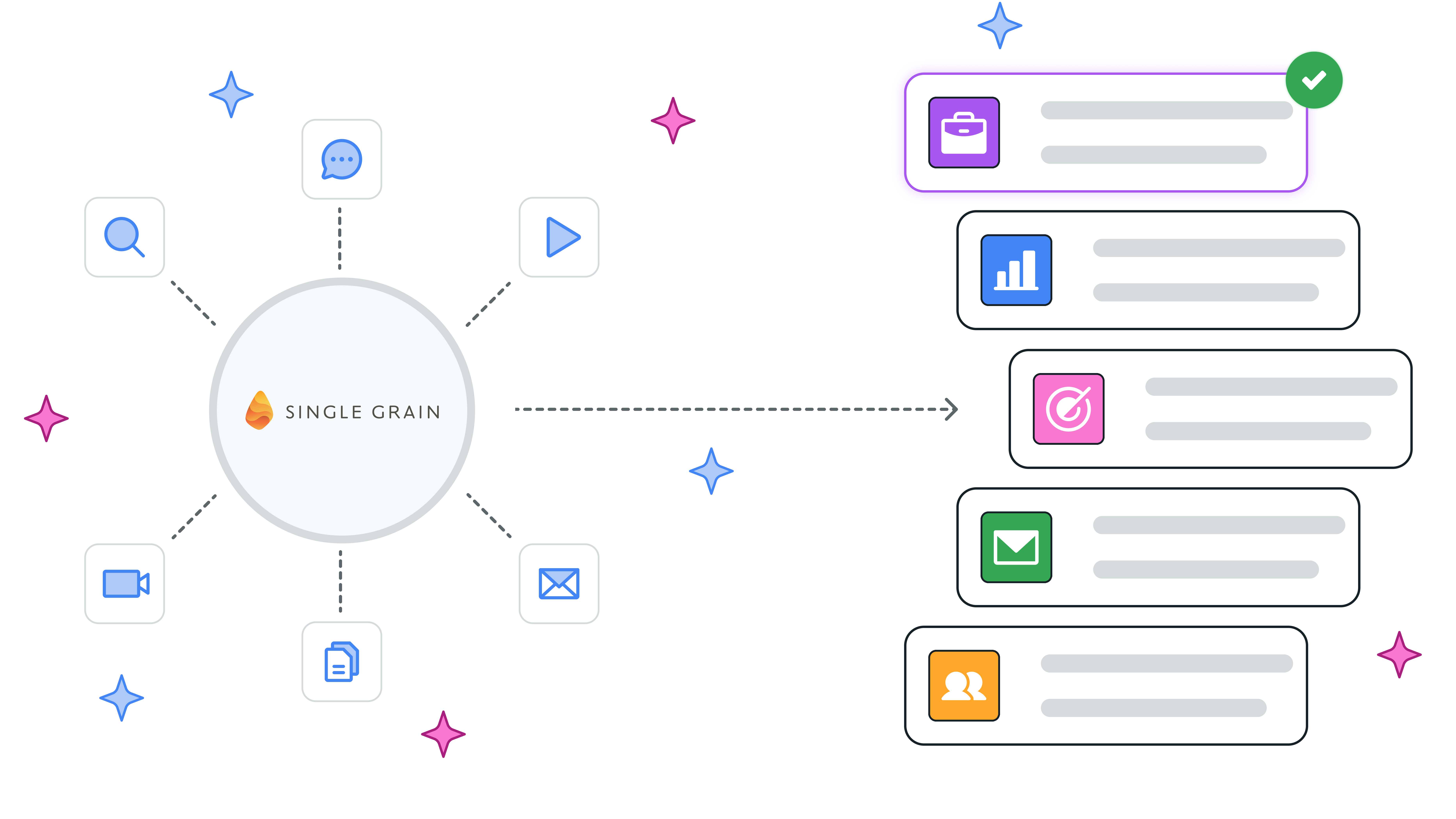
Customer Match is Google's feature that lets you upload your CRM data; email addresses, phone numbers, and names, directly into Google Ads. Google matches that data against its logged-in user base and lets you build targeting audiences from your actual contacts.
For B2B SaaS, the use cases are concrete:
[table]
Use Case | What You Do | Why It Works
Exclude existing customers | Upload your paying customer list | Stop wasting spend showing ads to people who have already converted
Re-engage churned accounts | Upload churned customers | Target with win-back messaging at the exact moment they might be evaluating alternatives
Target lookalike audiences | Upload your closed-won list | Google finds new prospects who look like your best customers
Bid higher on warm leads | Upload your nurture list | Pay more to show ads to people already familiar with your brand
Suppress low-quality segments | Upload unqualified leads | Stop the algorithm from optimizing toward lead types that never close
[/table]
The match rate, the percentage of your uploaded contacts that Google can identify, typically runs between 40–60% for B2B lists. That's a meaningful scale, especially when your CRM has thousands of contacts built up over years of sales activity.
2. What Are Enhanced Conversions in Google Ads?
Enhanced conversions are Google's answer to the cookieless world.
When someone fills out your demo form, your website collects their email address. Enhanced conversions hashes that email (encrypts it using SHA-256, so it's never sent as plain text) and sends it to Google. Google matches it against signed-in Google accounts to attribute that conversion, even if browser restrictions, ad blockers, or cross-device gaps broke the cookie trail.
According to Google's own data, advertisers using enhanced conversions for leads achieved 8% more conversions than measured with standard offline conversion import on Search, meaning conversions that would have disappeared into an attribution black hole are now being recovered.
For B2B SaaS, where a single missed demo attribution could represent tens of thousands of dollars in potential ARR, that accuracy matters significantly.
3. What Is Offline Conversion Import in Google Ads?
Offline conversion import closes the loop between your CRM and Google Ads.
This means that when a deal closes in Salesforce or HubSpot, weeks or months after the original ad click, that closed-won event gets sent back to Google Ads and attributed to the specific campaign, ad group, and keyword that started the journey.
This is the mechanism that tells Google's Smart Bidding algorithm: "these are the clicks that actually became revenue, not just leads."
Over time, it shifts the algorithm from optimizing for form fill volume toward optimizing for closed deal quality.
For a deeper technical walkthrough of how to set this up alongside your attribution infrastructure, the Google Ads attribution for B2B SaaS guide covers the full five-step process.
Why Most B2B SaaS Teams Aren't Doing This And Why That's Your Window
Non-branded B2B Google Ads CPCs jumped 29% between August 2024 and July 2025, while click-through rates dropped 26% in the same period. Every click costs more. Every lead costs more. And most teams are responding by adjusting bids and refreshing ad copy, treating the symptom rather than the cause.
The teams that are actually pulling ahead aren't bidding smarter on the same signals; they're feeding Google better signals in the first place. That's the asymmetry.
Here's why it's not more widely adopted:
- It requires your marketing, RevOps, and sometimes engineering teams to coordinate.
- The CRM integration isn't a one-click setup.
- The offline conversion import requires capturing gclids at the point of lead creation and mapping them through your pipeline to close.
- Enhanced conversions require proper tag implementation.
Most agencies don't set this up because it's technically harder than campaign management. Most in-house teams don't set it up because it falls in the gap between marketing ops and paid media. The result is that this capability, which is free, available to every advertiser, and directly endorsed by Google, sits unused in the majority of B2B SaaS Google Ads accounts.
That's the window.
4-Step First-Party Data Setup Guide for B2B SaaS Google Ads
Step 1: Audit Your CRM Data Quality
Before any of this works, your CRM data has to be clean. Run a quick audit:
- What percentage of contacts have a valid email address?
- Are lead source fields populated consistently?
- Do you have closed-won and churned customers tagged separately?
- Are there duplicate or incomplete records that would reduce your Customer Match match rate?
Most B2B SaaS CRMs have more usable data than teams realize. It just needs to be organized before export. You can start by building four clean lists:
- Current customers
- Churned accounts
- Active opportunities
- Unqualified leads.
Step 2: Implement Enhanced Conversions
Go to Google Ads → Goals → Conversions → Settings and enable Enhanced Conversions for Web. Accept Google's data terms and configure via Google Tag Manager.
The implementation collects first-party data (email, name, phone) that users submit on your forms, hashes it before transmission, and sends it alongside the conversion event. This improves attribution accuracy immediately and gives Smart Bidding cleaner signals from day one.
Critical check: Make sure your conversion actions are set up to fire on confirmed form submissions, not on page loads. And confirm your primary conversion actions represent genuine business intent, demo requests, trial sign-ups, not micro-events like scroll depth. You can get detailed guidance on cleaning up your conversion action setup in the Google Ads optimization checklist for SaaS.
Step 3: Build and Upload Customer Match Audiences
Export your four CRM segments as CSV files with the columns Google requires (email, phone, first name, last name, country). Upload via Google Ads → Tools → Audience Manager → Customer Match.
Once uploaded, apply them:
[table]
Audience | Campaign Application | Bid Adjustment
Current customers | All campaigns → exclude | Exclusion (no bid)
Churned accounts | Separate re-engagement campaign | Dedicated budget
Active opportunities | All campaigns → observe | +20–30% bid modifier
Closed-won (lookalike seed) | Similar audiences for prospecting | Standard bid
[/table]
Refresh your Customer Match lists monthly. CRM data changes, people change jobs, companies expand, leads progress through pipeline, and stale lists reduce match rates and targeting accuracy.
Step 4: Connect Offline Conversions to Close the Loop
Map your pipeline stages to Google Ads conversion events. At a minimum, you want two offline conversion actions: SQL Created (when a lead becomes sales-qualified) and Closed Won.
Capture the gclid (Google's click identifier) on every lead that comes through Google Ads and store it as a field in your CRM. When a deal closes, that gclid gets passed back to Google Ads via the Ads Data Manager or your CRM's native integration.
This is the step that transforms your B2B SaaS Google Ads campaigns from a lead generation tool into a revenue-aligned growth system. Google now knows not just what converts, but what converts into money.
What This Looks Like in Practice: The Delve Story
When Delve, an AI-native compliance automation platform founded by MIT AI researchers, partnered with Scalix AI to rebuild their Google Ads campaigns ahead of their Series A raise, the account had the same core problem most B2B SaaS companies have: campaigns were running, but the data feeding them wasn't connected to revenue.
Waqas rebuilt the targeting architecture with Customer Match audiences drawn from Delve's CRM, separating active prospects from their existing customer base, layering audience signals from their ideal enterprise buyer profile, and implementing enhanced conversions to recover attribution across a complex, multi-stakeholder sales cycle.
The result: $5.59M in influenced pipeline from Google Ads alone, with $1.04M in closed-won revenue. The full $7M in pipeline across channels helped give investors the commercial traction confidence they needed. Delve went on to close a $32M Series A led by Insight Partners. The campaign performance was real. The data infrastructure that made it real was the first-party data foundation built before the first ad was optimized.
The Competitive Angle Nobody Talks About
Marketers who have deeply integrated AI tools into their ad strategies, including first-party data activation, report 60% greater revenue growth than their peers.
The reason is straightforward: Google's bidding algorithms are AI systems. They're only as good as the data you feed them. First-party data is higher-quality, more accurate, and more relevant to your actual business outcomes than any third-party signal Google can infer on your behalf.
When your competitor is running Smart Bidding on generic signals, and you're running it on closed-won customer data from your CRM, you're playing a different game. Your algorithm is better. Your targeting is tighter. Your budget goes further.
And as third-party cookies continue to disappear, the gap between teams with strong first-party data infrastructure and teams without it will only widen.
This is precisely the kind of advantage that compounds. Once the data flywheel starts running, CRM signals feed Google, closed-won revenue flows back to Google, and Customer Match audiences refresh monthly. Basically, your campaigns get incrementally smarter every week without increasing your budget.
Understanding how to run Google Ads for SaaS at this level isn't just about campaign mechanics. It's about building the data infrastructure that makes your campaigns structurally better than your competitors'.
If you're not sure whether your current setup is doing that, a Google Ads audit for SaaS is where to start. It highlights exactly where the gaps are before you spend another dollar optimizing the wrong signals.
The Bottom Line
The teams winning in B2B SaaS Google Ads right now aren't winning because they have bigger budgets or better creatives. They're winning because they've built a data advantage that most of their competitors don't have, and they built it before it became obvious.
First-party data strategy is not a future consideration. It's the present state of high-performance paid media. The infrastructure described in this guide is free to implement, Google-endorsed, and available to every advertiser, but it requires technical coordination that most teams keep putting off.
The best time to start was last year. The second-best time is now.
If you want to know whether your current Google Ads setup is ready for a cookieless, first-party-first world, book a free audit with Scalix AI. We'll assess exactly where your first-party data infrastructure stands, what's missing, and what it would take to build a data advantage your competitors aren't using.